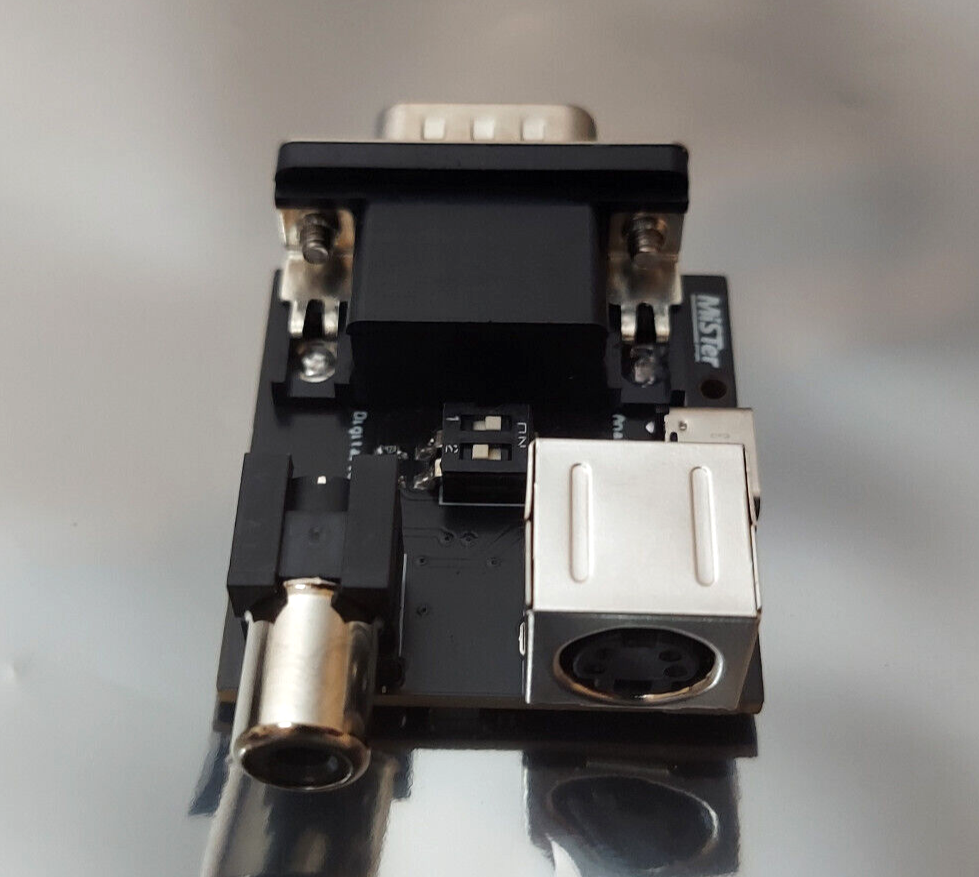
MiSTer FPGA Active Y/C Composite & S-Video Adapter with Case
This MiSTer FPGA active Y/C composite and S-Video adapter with case is listed in new condition. It is designed for users who want to connect compatible displays using composite and S-Video outputs; check the listing for details on supported setups, included items, and any required cables or connections. The price shown is $31.99 USD and the item ships with free shipping. Review the listing for full compatibility notes, return terms, and what is included in the package before purchase.




| Location | Mentor, Ohio US |
| Shipping | Free shipping (check listing for details) |
| Seller |
7407chrisl
100.0% positive · 662 feedback
|
| Listing | FixedPrice · Active |
| Restocking Fee | No |
| Return shipping will be paid by | Buyer |
| All returns accepted | Returns Accepted |
| Item must be returned within | 30 Days |
| Refund will be given as | Money back or replacement (buyer's choice) |
| Brand | MiSTer |
| MPN | Does Not Apply |
The MiSTer adapter allows for simultaneous outputting of composite and S-video for playing on a CRT TV. There are currently two version of the adapter (active and passive). The active adapter includes an amplifier circuit to provide more accurate color/brightness when using composite. S-video image quality is essentially the same between the two adapters. Note: Update to the latest version of the cores and mister.ini file. The latest mister.ini can be manually copied from: https://raw.githubusercontent.com/MiSTer-devel/Main_MiSTer/master/MiSTer.ini S-video provides a very good picture quality and is the better of the two methods if you’re TV supports it. Active composite provides a good picture quality. The adapter can be used in two different configurations, with the MiSTer Analog IO board or by using an HDMI-to-VGA converter. When using an HDMI-to-VGA converter, audio out needs to be provided either by the converter or by a Digital IO board. Note: The Rankie HDMI-to-VGA converter (see picture) is recommended and also provides audio out. Other converters (cheap ones) may not work correctly. A 3.5mm to RCA cable can be used to connect audio to the TV. Analog IO Setup: Select Analog IO by setting the DIP switch on the adapterSelect NTSC or PAL by setting the second DIP switch on the adapterPower the adapter by setting the VGA PWR jumper on the Analog IO board to 5V (Alternatively, you can power the adapter by connecting a USB C cable, but do not have both power sources connected at the same time)Connect audio to the audio jack on the Analog IO boardSet vga_mode=svideo, ntsc_mode=0, composite_sync=1, and vga_scaler=0 in the MiSTer.ini file Direct Video Setup:Select Digital IO by setting the DIP switch on the adapterSelect NTSC or PAL by setting the second DIP switch on the adapterConnect the HDMI-to-VGA converter and adapterPower the adapter by connecting a USB C cable Connect audio to the HDMI-to-VGA converter or to the TOSLINK audio jack on the Digital IO boardSet vga_mode=svideo, ntsc_mode=0, composite_sync=1, vga_scaler=0, and direct_video=1 in the MiSTer.ini file Check out my other MiSTer items for sale. If you purchase multiple items from me, I will charge a single shipping fee of $3.99 for standard shipping or $7.99 for priority shipping and refund the remaining. It is helpful if all purchases are made in a single transaction, but this is not necessary. I will typically wait at least half a day before shipping, if you would like to make any further purchases. Returns accepted!